Workspace
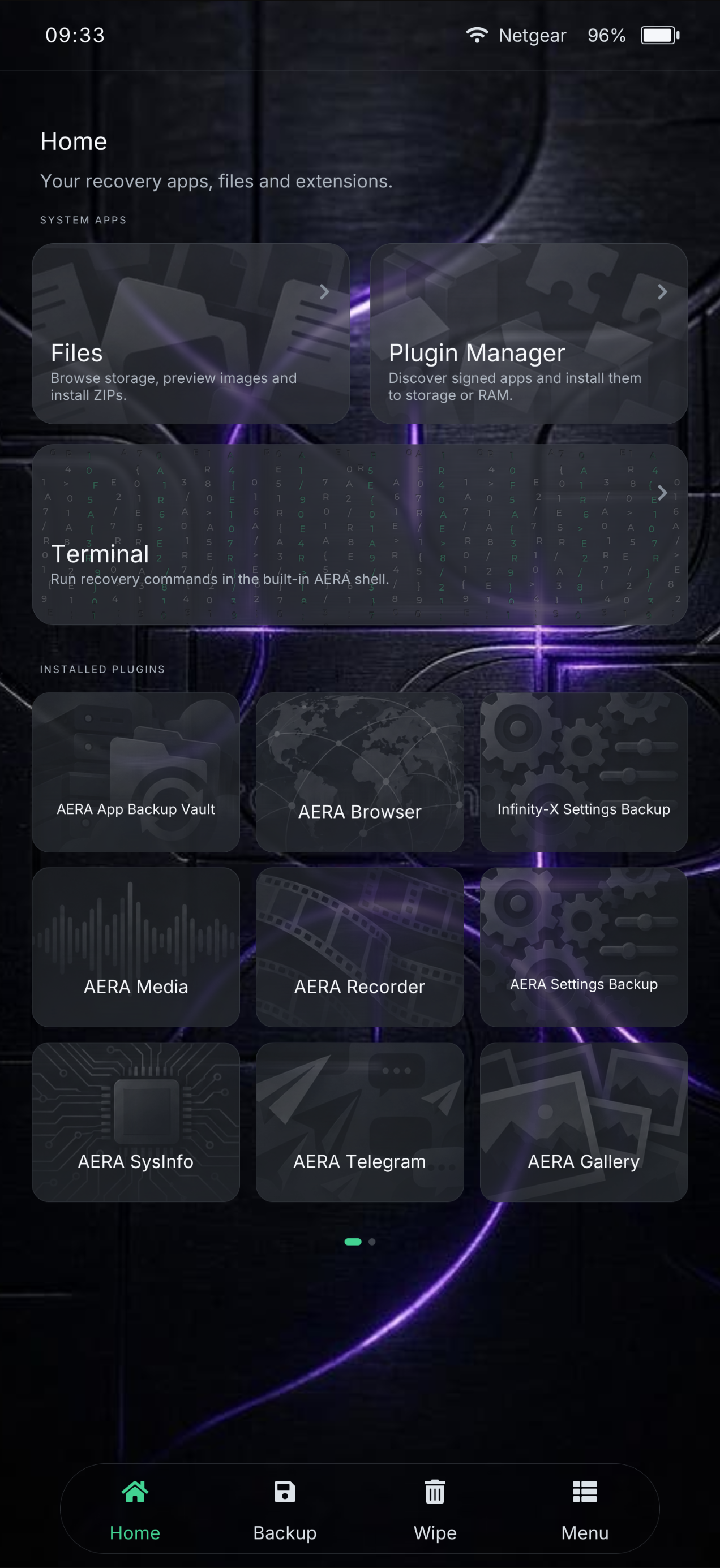
Home
Recovery tools and installed plugins meet in a focused launcher built for touch.
- Native LVGL interface
- System apps and runtime plugins
- Quick settings one gesture away
Workspace
Files
Browse and manage recovery-accessible storage without leaving the interface.
- Create, copy, cut, paste and rename
- Text editing and image previews
- Information, deletion and ZIP installation
Workspace
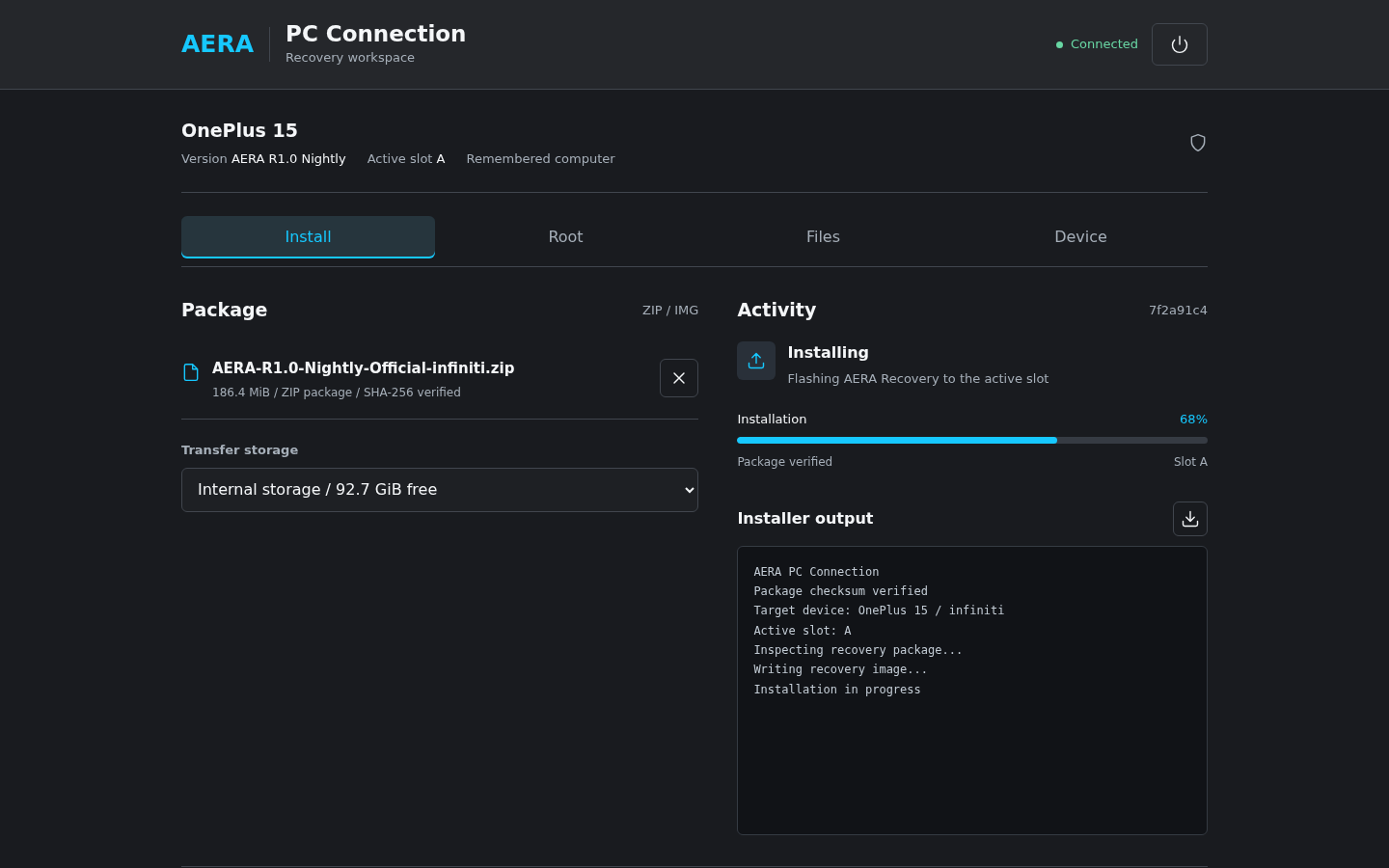
Install ZIP
Select recovery packages, review the queue and follow the complete installation output.
- Local package browser
- Signature verification option
- Progress, activity log and result
Workspace
Flash images
Open an image, select a compatible target partition and flash it with an explicit confirmation.
- Targets detected from filename
- Compatible partitions listed
- Dedicated image-flash progress
Workspace
Terminal
Run commands directly in recovery with a touch keyboard and persistent command history.
- Root recovery shell
- Keyboard and command history
- Designed for diagnosis and repair
Workspace
Quick settings
Reach network, brightness, language and update status without interrupting the current workflow.
- Fast Wi-Fi and display controls
- OTA notifications
- Accessible from the status area
Workspace
Recents & lock
Return to recently used plugins with a gesture and lock an unattended recovery session.
- Swipe-up recent apps view
- Per-plugin recent windows
- Recovery session lock screen
Data
Backup & restore
Select partitions, storage and compression with a clear size estimate before work begins.
- Partition-aware backup sets
- Internal and external destinations
- Restore browser with saved sizes
Data
App Backup
Create encrypted per-app backups and switch between decrypted Android users in one workflow.
- APK and application data
- Multi-user selection
- Internal or network storage
Data
Wipe partitions
Choose exactly which filesystems to wipe, with a deliberate confirmation before anything changes.
- Explicit partition selection
- Swipe confirmation
- Operation output and result
Data
Format Data
A separate, strongly confirmed workflow formats data and removes existing device encryption.
- Type-to-confirm safeguard
- Clear destructive-action warning
- Separate from ordinary wipes
Data
Mounts
Mounted and unmounted volumes are separated visually so storage state is readable at a glance.
- Live mount state
- Sorted recovery volumes
- Returns to mounts after an operation
Connectivity
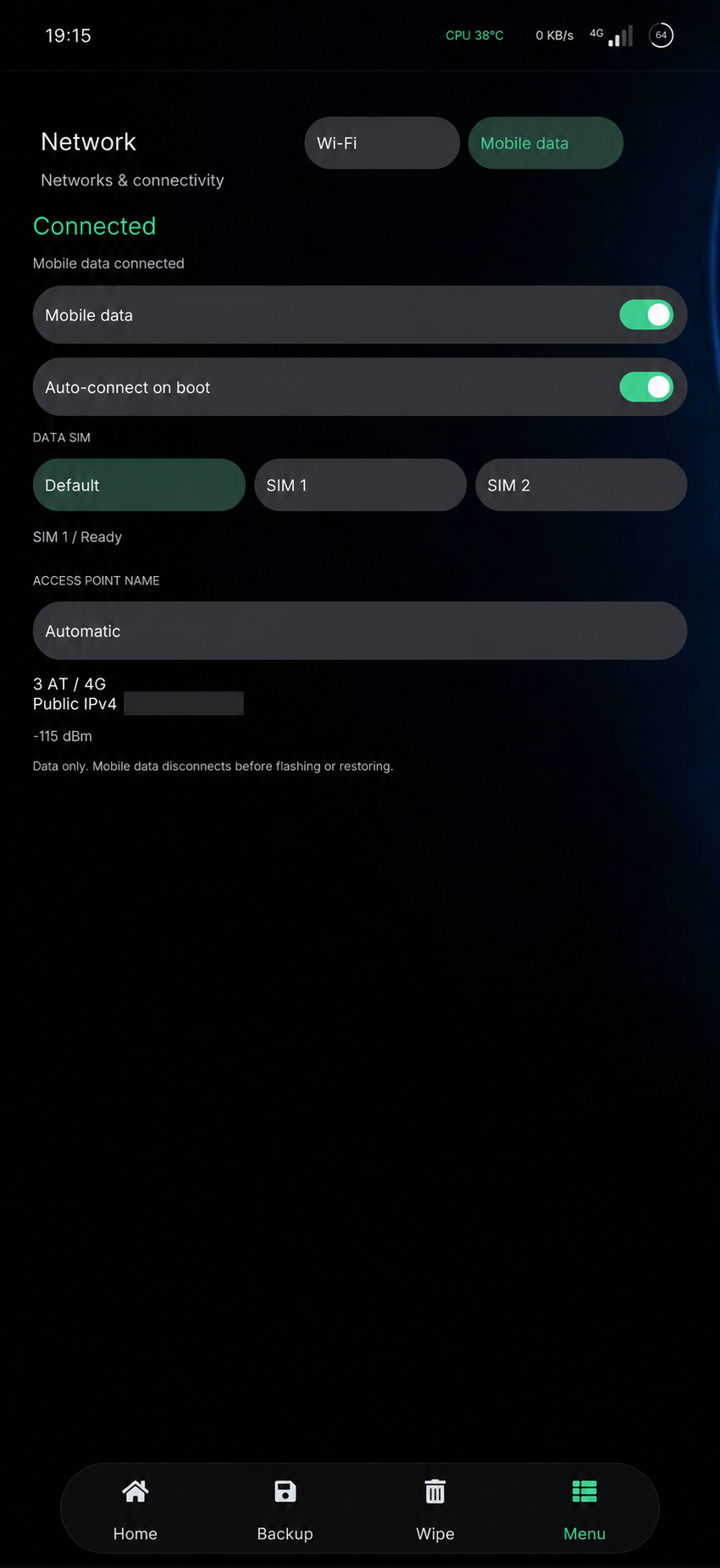
Network
Go online without booting Android. Connect over Wi-Fi or use your SIM's mobile data on supported builds for OPPO Find X9 Ultra, OnePlus 13, OnePlus 15 and OnePlus 8 Pro. Mobile data is internet-only: no calls or SMS. Availability and 4G/5G service depend on the device, firmware, SIM and carrier.
- Saved Wi-Fi networks, automatic connection and manual IP settings
- Mobile data with SIM selection, APN settings and optional saved SIM PINs
- Live reception and network type, with Wi-Fi preferred when available
Connectivity
Network Storage
Connect recovery workflows to remote storage when local space is not the best option.
- SFTP support
- SMB support
- Reusable connection profiles
Connectivity
ADB Sideload
Receive and install packages over USB with meaningful progress and visible installer output.
- Live transfer progress
- Installer log output
- Safe cancellation
Connectivity
USB file transfer
Expose accessible recovery storage to a connected computer and toggle the connection at runtime.
- Native MTP control
- Uses unlocked mounted storage
- Saved as a recovery preference
System
Root Manager
Manage supported root solutions with verified online releases and recovery-safe backups.
- KernelSU, KernelSU Next and SukiSU Ultra
- Checks for the latest matching version on demand
- Patches init_boot, installs the APK and manages modules
System
Plugin Manager
Browse the signed catalog, install plugins and keep existing extensions current without rebuilding recovery.
- Signed package verification
- Update detection and optional auto-update
- Install to persistent storage or RAM
System
Decryption & users
Unlock user 0 at startup and decrypt additional Android users only when they are needed.
- Credential-based data decryption
- On-demand secondary users
- User-aware app backups
System
Recovery Update
Check, download, verify and install the correct AERA package without leaving recovery.
- Stable and Nightly channels
- Release notes and SHA-256 verification
- Download progress and installer output
System
Fastbootd
Enter Android userspace fastboot for dynamic partition operations and image flashing.
- Dynamic partition access
- Transfer progress feedback
- Recovery-native reboot path
System
Recovery log
Open recovery logs directly from the tools menu when a workflow needs closer inspection.
- Immediate diagnostics
- Readable from the file tools
- Useful for bug reports
System
Reboot & slots
Choose the next destination and manage A/B slot selection from one deliberate reboot flow.
- Android, recovery and bootloader
- Fastbootd and power off
- Active-slot switching
Personalization
Theme Engine
Tune AERA's scale, accent and interface behavior for the device and the person using it.
- Small, normal and large UI scales
- Accent color selection
- Keyboard and appearance options
Personalization
Language
Switch the recovery and compatible plugins between 33 included languages at runtime, including English.
- Broad Latin and Cyrillic coverage
- Arabic, Hebrew and Asian scripts
- Localized plugin protocol
Personalization
Preferences
Control display, files, backups, connections, time, USB behavior and persistent recovery choices.
- Grouped operational settings
- Device-aware persistence
- No rebuild required
Personalization
About AERA
See the running version, device identity, project credits and open-source foundation.
- Version and build details
- Device codename
- Project and contributor credits

 REAL AERA INTERFACE